
Claude built my calendar assistant
I’m someone that plans a lot of things but somehow still forgets what I planned.
I had tasks in my calendar, but I barely opened the app unless I already remembered something important.
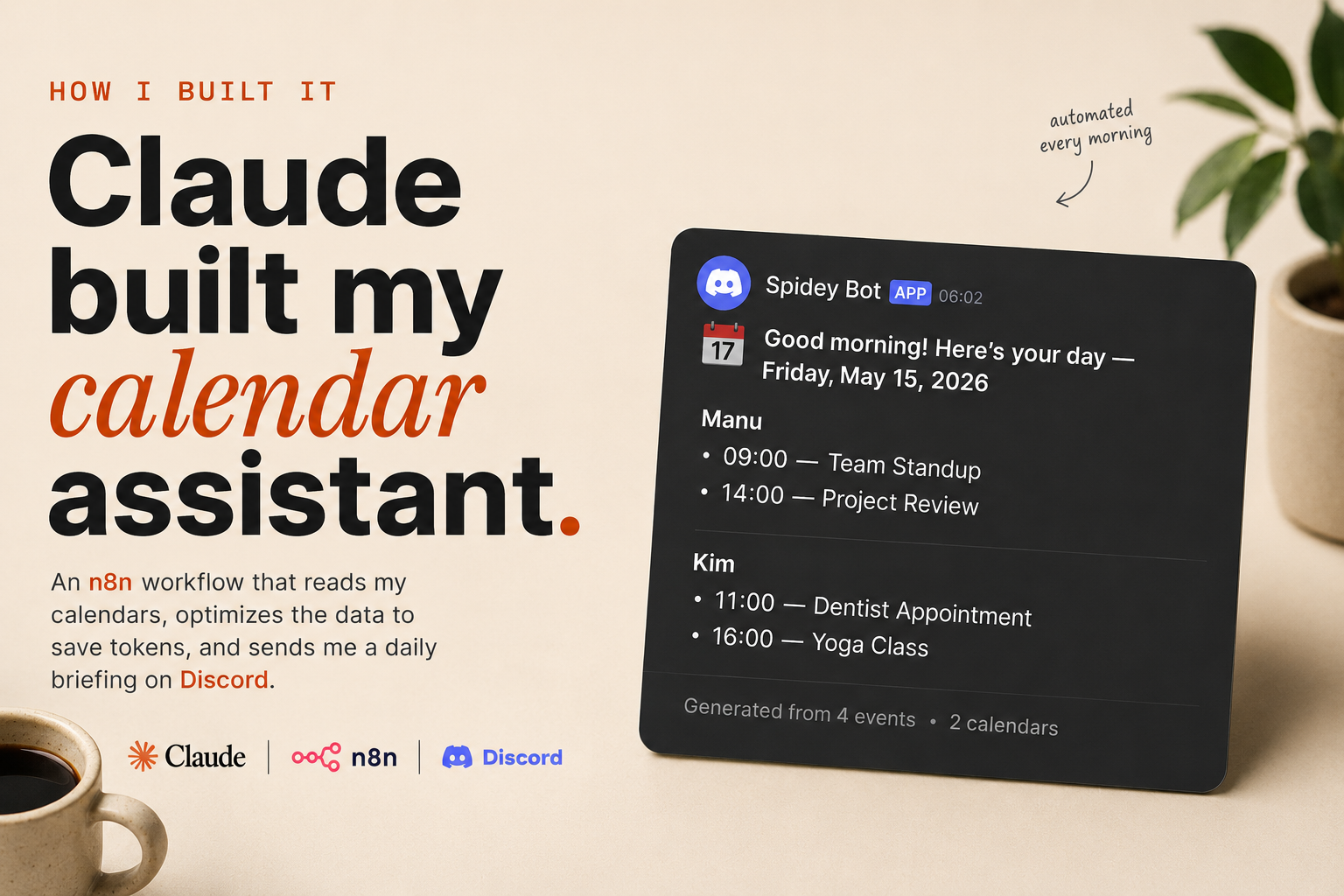
So I made a small workflow with Claude + n8n that sends me a short daily briefing every morning.
The problem
I kept putting things in my calendar but never really looked at it.
Not because the calendar was bad. Just because opening it became “another thing” I had to remember.
So the goal became:
don’t make me check my calendar
make the calendar come to me
The idea
I asked Claude to help me build an n8n workflow that:
- reads my calendars
- checks upcoming events
- cleans the data
- formats everything
- sends a small structured payload to AI
- posts the final briefing to Discord
Nothing super complicated.
Just a useful system that removes friction from everyday life.
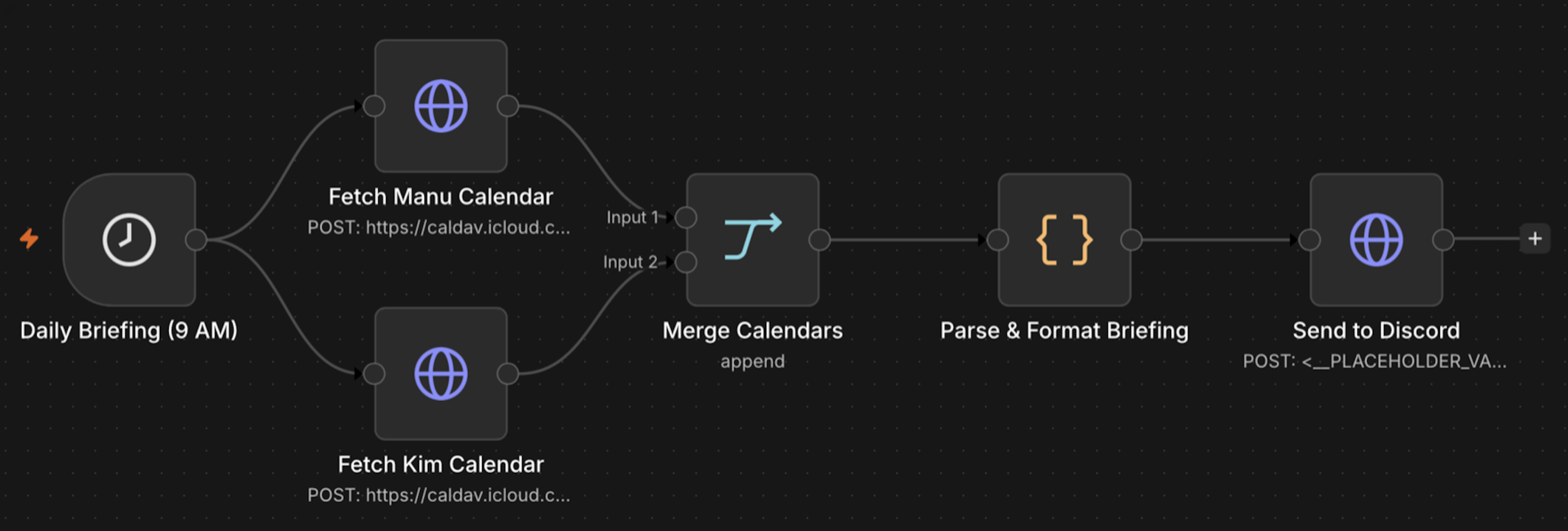
Step 1 — Fetch the calendars
The workflow starts automatically every morning.
First it grabs events from our calendars using CalDAV.
In my case:
- my calendar
- Kim’s calendar
Then it combines everything together.
Step 2 — Clean and structure the events
This part ended up being more important than the AI itself.
Raw calendar data is messy and huge for no reason.
So before sending anything to Claude, the workflow already:
- filters unnecessary fields
- sorts events chronologically
- groups events by person
- removes noisy metadata
- formats everything consistently
That means the AI only receives a very small and clean payload.
Which is important because:
- fewer tokens
- lower cost
- faster responses
- more predictable output
Honestly, the workflow itself does most of the heavy lifting.
The AI part is actually very small.
Raw calendar data
        ↓
Clean + structure with workflow
        ↓
Small AI pass
        ↓
Discord briefing
Step 3 — Generate the briefing
After the workflow prepares everything, Claude only has to turn the structured data into something readable.
The prompt is honestly pretty simple.
Summarize today's schedule in a short and easy to read way.
Group events by person.
Keep it practical.
Because the workflow already optimized the data beforehand, the AI output becomes way more consistent.
Step 4 — Send it to Discord
The final step sends the briefing to Discord with a webhook.
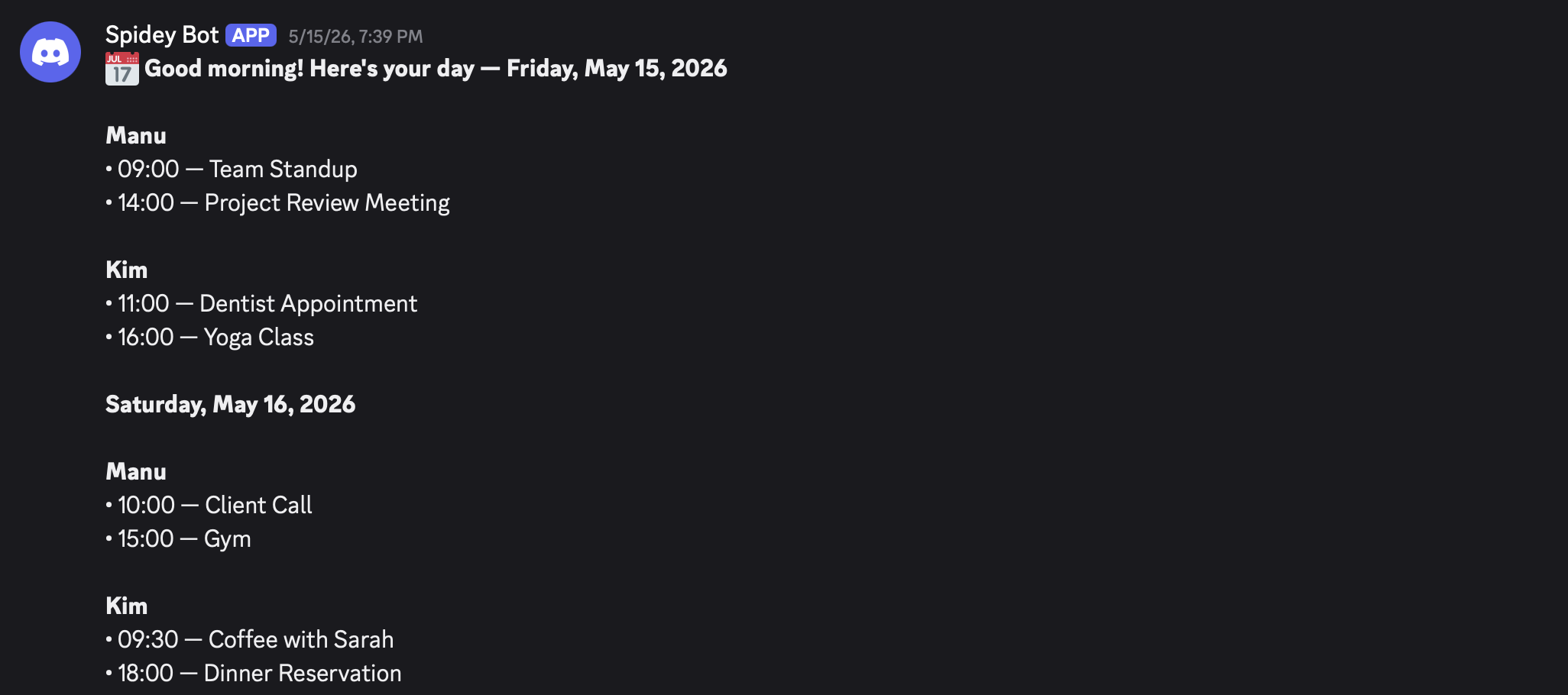
That way the message is already waiting for me when I wake up.
The result
Now every morning I get a small overview of the day without opening anything.
And weirdly enough, I actually follow my planning more now because I see it automatically.
Things I still want to add
A few things that could be added:
- weather
- travel time
- weekly summaries
- reminders before important events
- “what changed since yesterday”
But honestly, even this simple version already helps a lot.
Final thought
This is probably my favorite type of AI project.
Not huge startup ideas.
Just small workflows that improve everyday life.